Streamline Your Photography Business with Canva Templates
Running a successful photography business involves so much more than just taking beautiful photos. Between client communication, scheduling, marketing, and finances, the administrative side can quickly become overwhelming. If you find yourself juggling multiple apps, sticky notes, and spreadsheets, it might be time to consider a more unified approach. Photography Planner Canva Templates offer a practical and visually cohesive solution designed specifically for the unique workflow of photographers.
A Visual System Built for Creatives
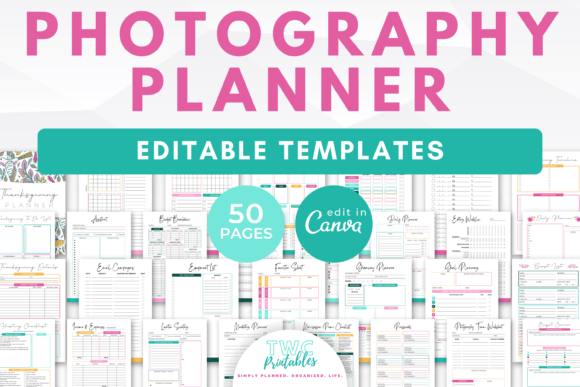
What sets these templates apart is their intentional design. The "Bright" color palette isn't just aesthetically pleasing; it's functional. The clean, modern layout uses ample white space and a clear typographic hierarchy to make information easy to scan and digest. This isn't a cluttered, busy planner. It’s a professional toolkit that respects your time and attention. The overall style feels fresh, optimistic, and organized—exactly the energy you want to bring to your business management. As a design asset, it functions like a premium font family: it provides consistency and professionalism across every touchpoint, from your internal planning to client-facing documents.
More Than a Planner: A Comprehensive Business Toolkit
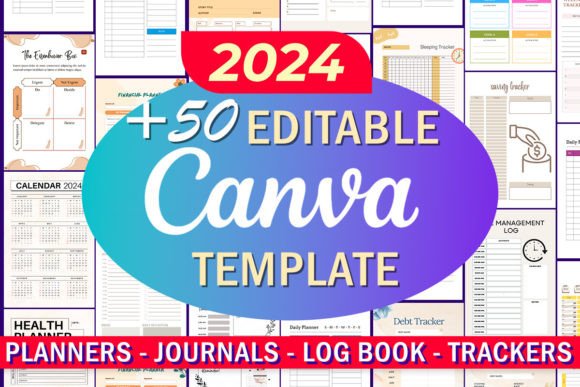
This collection of 50 templates goes far beyond a simple calendar. It’s a full ecosystem for managing every facet of your photography business. Think of it as your central command center, all editable within the accessible Canva platform. The included templates cover the entire client journey and your internal operations.
- Client & Session Management: Templates like the Client Session Timeline, Client Workflow Sheet, and Appointments Sheet help you maintain a professional and seamless experience for every client. The Photo Shot List and Mini-Session Planner ensure you’re perfectly prepared for every shoot.
- Marketing & Growth: Stay consistent with your outreach using the Marketing Workflow, Mini-Session Promo Checklist, and Social Media Graphics templates. This structured approach to marketing is like having a clear brand identity guide for your promotional efforts.
- Financial Clarity: Take control of your numbers with dedicated Income & Expenses, Budget Breakdown, and Accounts & Subscriptions sheets. Financial organization is a cornerstone of a sustainable business.
- Operational Efficiency: From the Daily, Weekly, and Monthly Planners to the Annual Overview and Time Log, you can visualize your schedule and workload at a glance. The Equipment List and Location Scouting Sheet are invaluable for on-location shoots.
The versatility of the A4 and US Letter sizes means you can easily print these planners for a tangible reference in your studio or use them digitally. This flexibility is key for modern creatives who work across both physical and digital spaces.
Practical Application in Your Daily Workflow
Imagine the week before a major portrait session. Instead of searching through emails and notes, you open your Full-Day Session Planner. You have the client’s timeline, shot list, and location details all in one place. You’ve already used the Editing Workflow template to block out post-production time in your calendar. Your marketing for the following month is planned using the Monthly Planner and promo checklists. This level of organization reduces stress and allows you to focus your creative energy where it matters most—on capturing incredible images.
For those offering mini-sessions, the dedicated suite of planners (Mini-Session Planner, Day Planner, Schedule) is a game-changer. It helps you systematize what can often be a logistically complex offering, ensuring smooth execution and maximized profitability.
Choosing and Implementing Your Planner System
When integrating any new system, the goal is to make your life easier, not to add another complicated layer. Start by identifying your biggest pain point. Is it client communication? Use the Client Workflow Sheet to map out your process from inquiry to delivery. Is it financial tracking? Begin with the Income & Expenses sheet. The beauty of this Canva template library is that you can adopt it incrementally.
Because it’s built in Canva, customization is straightforward. You can easily adjust colors to match your brand, swap out fonts for your preferred typeface, or add your logo. This ability to tailor the templates ensures they feel like a natural extension of your business, not an off-the-shelf solution. It’s about creating a consistent brand experience, even in your internal documents, which reinforces professionalism and builds recognition over time.
Ultimately, investing in a structured planner system like this is an investment in the longevity and scalability of your photography business. It transforms chaotic processes into streamlined workflows, giving you back valuable time and mental space. By implementing these templates, you’re not just organizing paperwork—you’re building the effective, professional systems that allow a creative business to thrive.